Hi! My name is Fariha and I'm a junior graphic designer. I am currently studying a Bachelor's of Design (Visual Communication) at university and hope to graduate in a couple years time. Decoding Interactivity is a blog I've developed which reflects my understanding of 'Interactive Design'.
Have you ever thought to yourself, “Maybe this time won’t be stressful. I’m an experienced traveller.” There’s not enough conviction in that thought and you’re already worrying about your next holiday. The Culture Passport is an app developed to combat this familiar stress. It is an efficient travel dictionary detailing essential information about an unfamiliar culture that strives to reduce worries about cultural immersion.
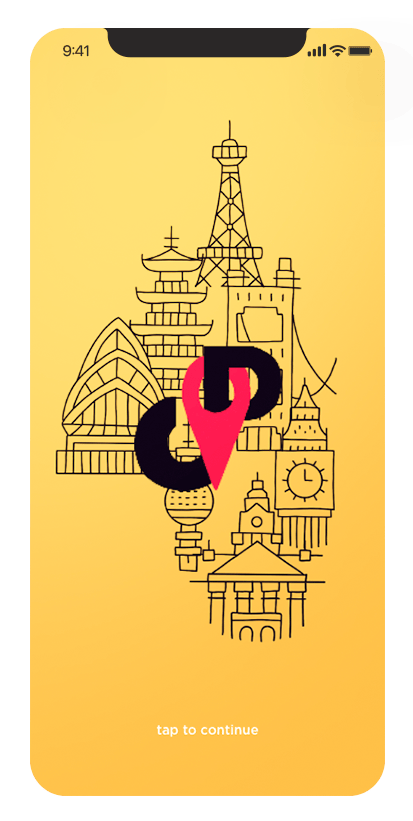
Launch Screen Most apps have a launch screen to reinforce the branding image. It also serves a secondary purpose of letting the app load in the background while the user appreciates the branding aesthetic.
The Tray Aka Draw, Side Bar, Hamburger or the Off-Canvas Layout. The main feature is to have the user touch or slide to open the tray area. The purpose of it is to store navigational elements for efficient way finding through the app.
The List The list is comprised of three main components: list item, navigation bar and the navigation buttons.
As mentioned before, each stage that is included in the process of developing an interactive product relates to one another. A user scenario is highly dependent on a user persona to be able to reach its full potential. Where a user persona develops a hypothetical user, a user scenario depicts a proposed situation based on the persona and how they would interact with the product in order to reach a given goal.
The fundamental topics that should be addressed include:
WHO – WHAT – WHERE – WHEN – WHY – HOW
This helps the designer follow a visual navigational path and discover what elements are missing and which don’t work. Therefore, it is important to develop a thorough user scenario in order to create a successful interactive product.
Below is a great website which goes through step-by-step how to develop a strong scenario.
USER PERSONA A user persona is the development of a fictional character who is a representative of the intended audience. The purpose follows to reflect the goals and behaviour of the hypothetical users to help designers visualise the user experience.
Some of the fundamental questions that need to be considered when creating user personas include:
What are the tasks the user is trying to perform? Are there different tasks for different personas?
It should be assumed that different personas will take different paths, which can essentially affect their mindsets when reaching the end goal (specific path or discovery path). For example, a designer must consider what platform the user may be viewing from. As a result, multiple personas will be developed as a solution to each platform. I.e. Desktop/Laptop, Tablet or Phone.
Another great way to further understand user personas is by creating mental models. This is an important aspect because it illustrates how the user approaches a particular problem which defines the overall user experience.
Discovery Path Specific Path
ARTEFACT PERSONA An artefact persona is the outcome of giving the product a personality. This helps the designer to envision their visual strategy.
The following questions are assessed when developing artefact personas:
If the interface was a person, what would he/she be like? How would you expect the users to react when they first view the product? How would you describe this product to a friend? How is the product different to competitive products? Which celebrity (or car, movie etc.) is the product most like? Least like? Why?
Alongside answering these questions, listing a group of experience keywords help define and govern the visual strategy. Usually having 5 core words help create the beginnings of the personification of the product.
Developing both a user persona and an artefact persona is principal to understanding the targeted audience and crucial to designing a successful interactive interface. Both profiles help realise mistakes and encourage improvements.
Understanding the platform an app intends to run on is important. This enables the designer to develop a deeper understanding on the unique user interaction, user interface elements, terminology and device characteristics in order to fulfil a high level of user experience.
IOS
Part 1: Gestures in iOS
Upon turning on an iOS device, the user is able to learn 4 things.
The screen is touch based
User interface elements are touch based
The user will need to use fluid gestures such
as touch and swipe to engage the user interface elements
The hardware buttons are secondary to the touch
experience
There are 6 common gestures.
Tap Drag Flick Swipe Pinch Random Gestures
Part 2: UI iOS Anatomy
Keyboard Pickers and Date Pickers Inputs Tab Bar Navigation Bar Toolbar Action Menu
Below is an excerpt of my user scenario for my intended app, ‘Culture Passport’.
Aydin is a full-time university student who runs a travelling blog on the side. Her blog is mainly received by university students like herself. With the semester break coming up, Aydin wishes to travel to Japan so she can add new content to her blog as well as fulfill her wanderlust desires. In terms of planning, she has her flight tickets booked and accommodation sorted. However, with her exams coming up, Aydin can’t afford the time to research in-depth of how to travel efficiently in her destination like she usually does before any trip.
In an attempt to remedy her dilemma, she writes a quick post on her blog to reach her readers and asks for recommendations of any blogs/videos/apps/websites that has all the research done for her. During a short break from studying, Aydin conducts a quick check on her blog to review responses and immediately finds one that piques her interest. Some of her readers recommended the app ‘Culture Passport’ who described the app as a tool which efficiently educates the user about the way of living in different countries by breaking them down into categories.
Intrigued, Aydin downloads the app from the Apple App Store and briefly scans through the app. The first screen she came across prompted her to choose her travel destination. From there, a multitude of categories were presented ranging from etiquette to transport. Selecting the ‘transport’ category, Aydin was pleasantly surprised to read a brief yet thorough overview of what transport is available in Japan and which is most efficient. There was also a section towards the bottom which recommended essential apps to utilise when getting around Japan.
From her brief use, Aydin concluded that the app will benefit her greatly after her exams as well as for future travels as there were several countries integrated within the app.
IDEA To help determine an idea, below are different questions to ask:
Is this idea financially stable?
Is this idea technically feasible?
Is this already on the market?
Could this be made simpler/differently?
By building a networked world, the users are much more active – enabling them to provide instance response and opinion. This means that designers are able to build the feedback given into their work processes and strategically continue to refine their outcomes to ensure a probable success on how their product is received.
SPEC A specification is an important document that declares what an app does and how it is accomplished. It is imperative for the designer to establish this earlier in the development process in order to prevent deviation from the initial idea.
WIREFRAME Developing wireframes is an essential stage because it allows the designer to realise inconsistencies in their app navigation.
PROTOTYPE & VISUAL DESIGN Every stage of experimentation should be considered and visually realised in order to learn from the failures sooner rather than later.
DEVELOPMENT Building the technical architecture of the app.
The design industry has become an adaptable practice to accommodate the evolving digital world. Rather than being spectators, users are actively contributing to the design development of apps.
Change the way you work With the design platform changing to encompass a realm within the digital sphere, designers are able to shift their conversations to include the users so they can become an integral part of the design development process. These developments have brought new ways of working that might not have defined beginning and end points as previous linear design processes. Here, iterative processes are adapted and evolved to take advantage of opportunities to make and remake.
Understand development Learn to use prototype tools. E.g. InVision, Adobe XD. Learn the same terminologies as the team you are working with.
Use a variety of operating systems If the target is the global mobile market, it is important to have a strong comprehension of the different operating systems in order to solve the sufficient design scenarios.
Prototype everything The point is to determine the extent of its necessary design in order to test what is hypothesised.
What you see is not what you always get Always test on a mobile device.
Apps are never finished Apps are constantly improved because of user feedback.
The term ‘app’ is an abbreviated expressions of
the word ‘application’. An application is a software program that is designed
to perform a specific function for the user or other applications.
There are three types of apps to consider:
Web App (HTML) – a responsive web design, stored on a web server.
Native – a native app is developed for a single platform i.e. iOS, Android etc. The app runs directly on the device and does not need an internet connection.
Hybrid – elements of both aforementioned types of apps, built with HTML
PROS
CONS
HTML
– A quick option for making an existing content available via mobile device – One-time build